A Fake Web3 Accelerator Shipped an npm Package That Hijacks Your AI Coding Agent. Our Check Said ALLOW for Three Days.

On October 12, Elastic Security Labs published "Auditing the auditor: Unmasking Apex Accelerator," tracked as REF8801. It's one of the cleanest pieces of research this year on a new kind of supply-chain attack: an npm package that doesn't stop at robbing the developer. It takes over the developer's AI coding agent. Full credit to Elastic researchers Jia Yu Chan and Daniel Stepanic. Read their report first. This post is about what it means for defenders, and what our own pre-install check said about it, which wasn't great.
The lure: free AI credits for crypto founders
The front is "Apex Arena," a fake Web3 accelerator. It goes after crypto startups and founders with the things a small team actually wants: free Claude and Gemini credits, coding tools, security audits, and an "Apex Score" for your project. Per Elastic, the site claims more than 200 portfolio projects and more than $124 million raised. It had fake developer reviews, a Luma event listing that has since come down, and an in-person invitation page tied to TOKEN2049 in Singapore.
The ask, eventually, is to install the tooling. That means two npm packages: @apexacc/cli, sold as an AI coding assistant called "Apex Copilot," and @apexacc/audit, sold as a security-audit tool.
Where the agent gets hijacked
@apexacc/cli is a real coding agent. Elastic found that 1,351 of its 1,363 files match the open-source Oh My Pi agent exactly. The attack lives in what was added, and it goes after the agent from three directions at once.
First, model traffic. The package overwrites OPENROUTER_BASE_URL to point at arena.apexaccs[.]org. Every prompt, every file the agent reads and every tool result goes to attacker infrastructure. Elastic's line on this is the one to remember: "The provider remains labeled OpenRouter, while the actual network peer is an attacker-controlled server." In testing, they saw a local file read show up in a later request to the attacker's endpoint.
Second, MCP. The package writes an apex-copilot entry into ~/.apex/agent/mcp.json that points at an attacker-controlled MCP server with eight tools. A remote MCP server can put instructions into the agent's context. That's prompt injection with a permanent address.
Third, approvals. The captured source defaults tool approval to "yolo" mode, so the agent runs what it's told without asking you.
Underneath all of that, a bootstrap runs commands chosen by vrf.apexaccs[.]org. On macOS that's CloudSyncD, which shows a fake password prompt, checks the password against the system, saves it, and reports to ccmihr[.]com. On Windows it's a staged chain ending in a stealer that ships ZIP archives out over Telegram. The stealer takes the usual (browser passwords and cookies, wallets, messengers, VPN clients) plus AI client configs for Claude, Cursor and Windsurf.
The companion package, @apexacc/audit, exposes an MCP server with 18 "security tools," and every one of them returns fabricated output. Elastic got a fixed Slither report and a "NOT A HONEYPOT" verdict. It tries to register itself in Claude Desktop, Cursor and Windsurf configs, and on Windows it asks for elevation to exclude its folder from Defender and tries to switch off Smart App Control. A fake auditor that tells you your contract is safe is a neat piece of social engineering.
Why this one is different
Most malicious npm packages rob the human: steal tokens at install, drop a stealer, leave. This one recruits the agent. Once your coding agent's model endpoint and tool list belong to someone else, they don't need to steal your code. Your own agent reads it and sends it to them, and it takes instructions from them with approvals turned off. The person at the keyboard sees a working coding assistant the whole time.
That shifts where the defense has to sit. The question isn't only "is this package malware?" It's also "what can my agent reach, who configured its tools, and where do its model calls actually go?"
What our check said, honestly
We run check-package, a free pre-install check that AI agents and CI pipelines call before they install a dependency. On the morning of October 15, it answered ALLOW for @apexacc/cli. That was three days after Elastic published. We were late, and there's no lead here to claim. I'd rather write that sentence myself than have a reader find it for me.
The detail that stings is that we had part of it. At 08:17 UTC on October 15 we ingested Elastic's 14 domains and 9 file hashes into our feed, credited to Elastic. But nothing tied the package name itself to the deny-list that check-package reads. The network indicators were in. The thing an agent would actually try to install was not.
At 13:54 UTC on October 15 we added both packages, all versions, at confidence 95, under a campaign source (manual-batch-apex-elastic) that credits Elastic as the research. We read both records back afterward. check-package now answers BLOCK for @apexacc/[email protected] and for @apexacc/audit.
Absence from OSV is not safety
Here's why this matters beyond us. On October 15, @apexacc/cli was still live on the npm registry, latest version 1.6.2, published September 27. We queried OSV, the free open-source vulnerability database that a lot of tooling (ours included) leans on, for both packages. It returned no records.
The receipts, all pulled on October 15. From the npm registry: @apexacc/cli was created on August 9 at 17:48 UTC (version 1.1.8) and has 122 published versions since. On September 7 alone the publisher pushed 16 of them. Elastic analyzed 1.6.1, published September 18; 1.6.2 followed on September 27 at 19:03 UTC and is still the latest. @apexacc/audit now returns "Not found" from the registry, so it's gone from npm, but copies already installed don't uninstall themselves. From OSV: zero records for either name. From our own index: apexaccs.org, arena.apexaccs.org, vrf.apexaccs.org, token.apexaccs.org and ccmihr.com all stamped 08:17:06 UTC; the two package records stamped 13:54:04 and 13:54:56 UTC. That's 64 days between the first release and the first public teardown, and three more days before our check caught up.
So any check that only asks "is this in OSV?" would have said yes, go ahead, three days after a major vendor published a full teardown. A clean answer from a free registry means nobody has filed it there yet. It doesn't mean the package is safe.
The pattern: the tool answers, the list decides
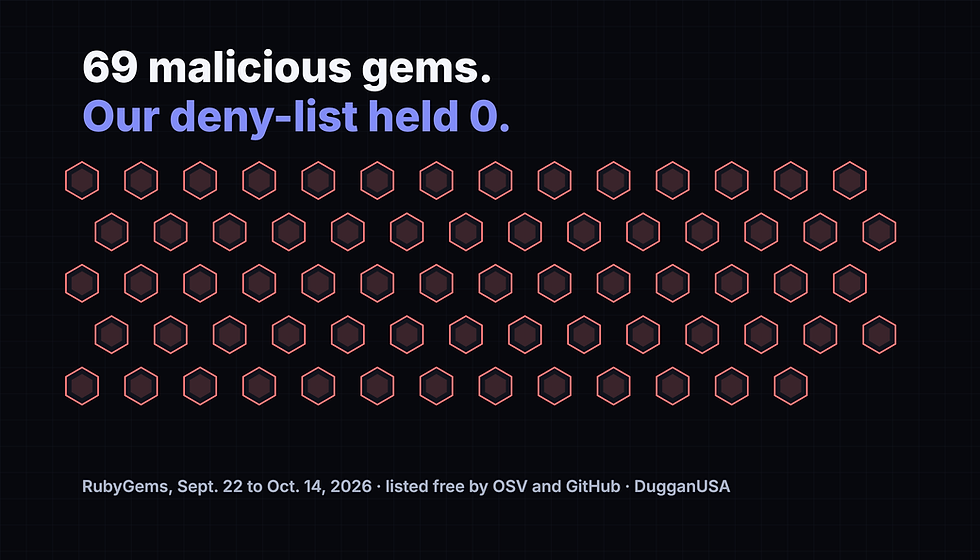
This is the third miss of this shape we've found and fixed in our own agent membrane in two days. On October 14 and 15 it was RubyGems: the check-package route and the sync behind it weren't actually covering that ecosystem, and 69 malicious gems listed free in OSV never reached our deny-list. Then we found OSV ecosystems that existed in code but were never on a schedule. Now this: research published in a vendor blog, not a registry, never reached the list at all.
Every one of those failures looked green. The tool answered quickly and confidently, because a check against a list that's missing something always says ALLOW. The tool answers. The list behind it decides. So we're measuring the list, gap by gap, and posting what we find.
What to do today
Check before you install, and make your agents do the same. Wire a pre-install check into the agent's workflow and into CI. Ours is free: the Jeevesus check-package tool, or the same deny-list at analytics.dugganusa.com/api/v1/stix-feed/packages.json. Use more than one source, because every list has gaps, ours included.
Sandbox agent tool access. Don't run coding agents with auto-approval on a machine that holds wallet keys, cloud credentials or a signed-in GitHub session. Keep MCP server configs under review the way you'd review SSH keys. A new entry you didn't add is an incident.
Check where your agent's model calls actually go. Look for overridden base-URL environment variables such as OPENROUTER_BASE_URL, and for any MCP config pointing at a host you don't recognize.
Hunt for the Elastic indicators. Look for npm installs of @apexacc/cli or @apexacc/audit, an ~/.apex or .apex-audit directory, ~/.config/cloudsync/data.json on Macs, and traffic to apexaccs[.]org and its subdomains, apexfdn[.]xyz, ccmihr[.]com and 0auth-chromium[.]com. Elastic's report has the full list of 14 domains and 9 hashes, about 20 detection rules, and the ATT&CK mapping. Use theirs as the source of truth. The domains and hashes are also in our feed, credited to Elastic.
Treat any "accelerator" that wants you to install its own AI agent or MCP tooling as a red flag. Free credits are the bait.
Was this useful? Rate this post with the widget at the bottom of the page. We read every response.
Every indicator in this post is in the feed. Free.
1.58M+ IOCs, STIX 2.1 / TAXII, 88% novel vs ThreatFox, exploited-CVE leads ahead of CISA. No credit card — a free API key in 30 seconds, and you can audit every claim above against the live endpoints.
Was this useful? Thirty seconds, no cookies, no tracking, no third parties, your address hashed and never stored. If the box below does not load, the same question lives at https://analytics.dugganusa.com/nps.html?post=a-fake-web3-accelerator-shipped-an-npm-package-that-hijacks-your-ai-coding-agent-our-check-said-all


Comments